Skip the Subscription: Free Programs That Do What Expensive Software Does
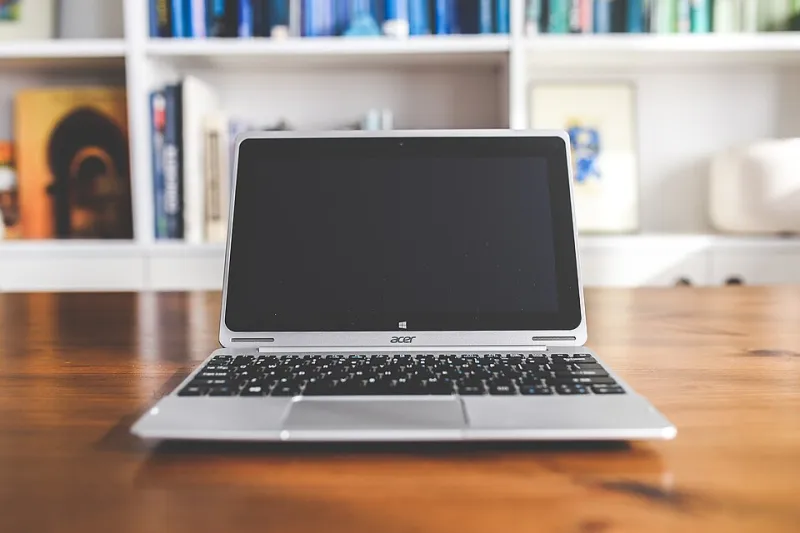
Photo: www.Pixel.la Free Stock Photos, CC0, via Wikimedia Commons
Software subscriptions are the new gym memberships: easy to sign up for, painful to keep paying for. Between photo editors, PDF tools, office suites, and video software, the average American household could easily burn through $500 a year — or more — on programs that have free equivalents sitting right there on the internet.
Not all free software is created equal, though. Some of these alternatives are genuinely excellent. Others come with strings attached that the download page doesn't mention. Here's our honest breakdown.
GIMP Instead of Photoshop
Photoshop runs about $240 a year. GIMP costs nothing and has been around since the '90s, which in software years makes it ancient — in a good way. It handles layers, masks, retouching, and batch editing, and it runs on Windows, Mac, and Linux.
The catch: The interface takes real adjustment if you're coming from Adobe. Menus are organized differently, and some pro-level plugins aren't available. For casual editing and even serious hobbyist work, though, it's more than enough.
LibreOffice Instead of Microsoft 365
Microsoft 365 Personal runs $99.99 a year. LibreOffice is a full office suite — word processor, spreadsheets, presentations — that opens and saves in Microsoft formats without a hitch. It's maintained by a nonprofit foundation, so there's no ads, no upsells, no account required.
The catch: If you live in deep collaboration with coworkers using Word's real-time co-editing, LibreOffice won't replicate that experience. For solo work and most family use, you'll never notice the difference. Also worth a look: Google Docs, free with a Gmail account, if you're comfortable working in the browser.
DaVinci Resolve Instead of Premiere Pro
Adobe's video editing bundle runs around $55 a month — that's $660 a year. DaVinci Resolve's free version is so capable that plenty of YouTube professionals use it exclusively. Color grading, multicam editing, audio post-production: it's all in there.
The catch: The free version skips a few high-end features (some AI tools, certain noise reduction) and it demands a decent GPU. If your laptop is five years old, expect some frustration. But there's no watermark and no time limit — it's not a trial.
PDF24 or PDFgear Instead of Adobe Acrobat Pro
Acrobat Pro costs about $240 a year, and most people use it to merge PDFs and sign documents. Free tools like PDF24 (Windows) and PDFgear (Windows/Mac) handle merging, splitting, compressing, converting, and even OCR text recognition without charging a dime.
The catch: Desktop tools like these are safer than the hundreds of sketchy "free PDF converter" websites, but always download from the official site — impostor sites are common in this category. And for legal signatures, double-check whether your specific use case requires a certified e-signature service.
Audacity Instead of Paid Audio Editors
Need to clean up a podcast recording, trim an interview, or strip audio from a video? Audacity has been the free answer for two decades. Noise reduction, multi-track editing, export to every common format — all free and open source.
The catch: The interface looks like it was designed in 2005, because it was (roughly). It also does destructive editing by default, so save backups before you experiment.
Bitwarden Free Instead of Paid Password Managers
Most password managers charge $36–60 a year. Bitwarden's free tier gives you unlimited passwords across unlimited devices — something most competitors lock behind a paywall. It's open source and regularly audited, which matters when the product in question holds the keys to your entire digital life.
The catch: The free plan skips advanced features like emergency access and integrated 2FA codes. For most people, though, free Bitwarden beats writing passwords in a Notes app by a mile.
HandBrake Instead of Paid Video Converters
Plenty of paid "video converter" utilities charge $30–50 for what HandBrake does free: converting video files between formats, compressing oversized movies, and ripping discs (of content you own, naturally). It's been a trusted open-source project for years.
The catch: It converts — it doesn't edit. And the presets take a minute to understand if you've never thought about bitrates before.
Before You Download Anything
A few ground rules for staying safe in the free software world:
- Download from official sites only. Search results are littered with clone sites bundling adware.
- Watch the installer. Some free programs try to sneak toolbars or browser changes past you. Choose custom installation when offered.
- Check the license. "Free for personal use" sometimes means commercial use requires paying — relevant if you freelance.
Cancel two subscriptions and you've already saved enough for a nice dinner out. Cancel a few more and that new laptop fund starts looking healthier. Your wallet — and probably your New Year's resolutions — will thank you.