Stop Rotating Your Passwords: What Security Researchers Actually Do to Protect Their Accounts
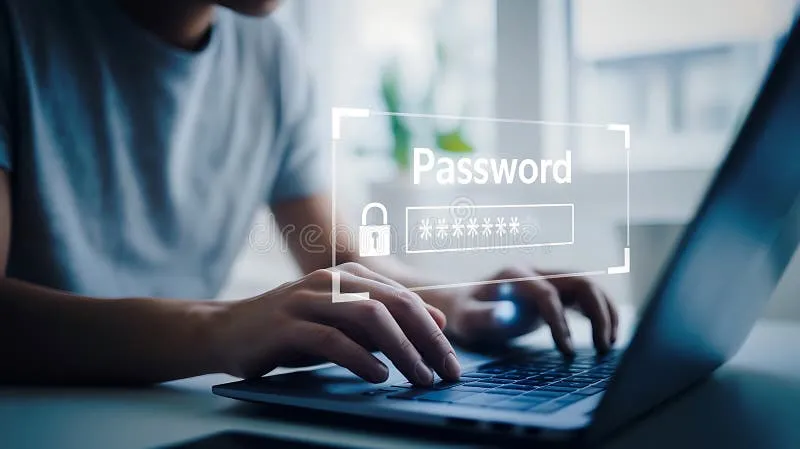
Photo: person typing password on laptop security, via thumbs.dreamstime.com
For years, the standard advice was the same: change your passwords every 90 days, mix in symbols and numbers, and you'll be fine. Then Microsoft, NIST, and pretty much every major standards body quietly reversed course — and a lot of us never got the memo.
We talked with a handful of security professionals about which habits are genuinely worth your time in 2025 and which are just ritual. The gap between the two is bigger than most people realize.
The 90-Day Password Rule Is Officially Dead
The logic behind forced password rotation made sense on paper: if a password leaks, changing it limits the damage. In practice, forcing people to change passwords constantly just produces Password1!, Password2!, and Password3! sitting in a row.
Bill Burr, the NIST author whose 2003 guidelines inspired the whole mess, publicly apologized for the complexity rules years ago. The current guidance from NIST and CISA flips everything: use long, unique passwords, and only change them if there's evidence of a breach.
"Rotating passwords that haven't leaked is like changing your locks every month because someone might someday steal your key," one researcher told us. "Meanwhile, people reuse the actual key on ten doors."
The Real Attack Isn't Brute Force — It's You, Reused
Here's what actually gets accounts taken over in the US: credential stuffing. Criminals grab username-and-password combos from one of the endless breach dumps — think of the big ones, from Equifax to the collection sites that leak millions of records at a time — and spray them across Gmail, Chase, Amazon, and everything else.
If you reuse passwords, you're in that blast radius no matter how strong your passwords look. Length and uniqueness beat complexity every time. A 20-character passphrase you can remember beats an 8-character symbol soup you can't.
Two-Factor Authentication: Great, Until It Isn't
Yes, enable 2FA. But not all 2FA is created equal, and this is where the security-theater problem gets expensive.
- SMS codes: Better than nothing, but SIM-swapping attacks — where a scammer convinces your carrier to port your number to their phone — have drained bank accounts across the country. The FBI has repeatedly warned about this.
- Authenticator apps: A big step up. Codes live on your device, not your phone number.
- Passkeys and hardware keys: The current gold standard. Passkeys are phishing-resistant by design, and they're now supported by Google, Apple, Microsoft, and most major US banks.
If a site offers passkeys, take them. If it only offers SMS, take that — and then go update your carrier account with a port-out PIN, which most major US carriers now let you set for free.
Habits Ranked: What Actually Prevents Takeover
Based on what researchers told us, here's the rough return-on-effort ranking:
- A password manager with unique passwords everywhere. Single biggest win, period.
- Passkeys or an authenticator app instead of SMS. Kills phishing-based takeover almost entirely.
- A port-out PIN on your phone account. Two minutes, huge protection against SIM swaps.
- Checking haveibeenpwned.com occasionally. Know which of your emails have been breached.
- Reviewing connected apps and recovery emails. Old OAuth grants and stale recovery addresses are back doors people forget they left open.
- Password rotation. Basically last. Do it only after a breach notice.
Notice what's missing: VPNs for "security," antivirus suites that promise the world, and those 90-day change nag screens.
Your One-Hour Checklist
Block out a lunch hour and do this:
- Install a reputable password manager (many free tiers are fine) and let it generate unique passwords for your top 10 accounts — email and banking first.
- Turn on app-based 2FA or passkeys for email, banking, and social media.
- Set a port-out PIN with your carrier (Verizon, AT&T, and T-Mobile all support this).
- Run your emails through Have I Been Pwned and change anything that shows up in a breach.
- Delete old browser extensions and app permissions you don't recognize.
That's it. No paid subscriptions, no paranoia, no rotating anything. The researchers we spoke to don't do anything exotic — they just do the boring, high-impact stuff consistently. Now you do too.