The Forgotten Patch: Why Your Router Is the Laziest Device in Your House
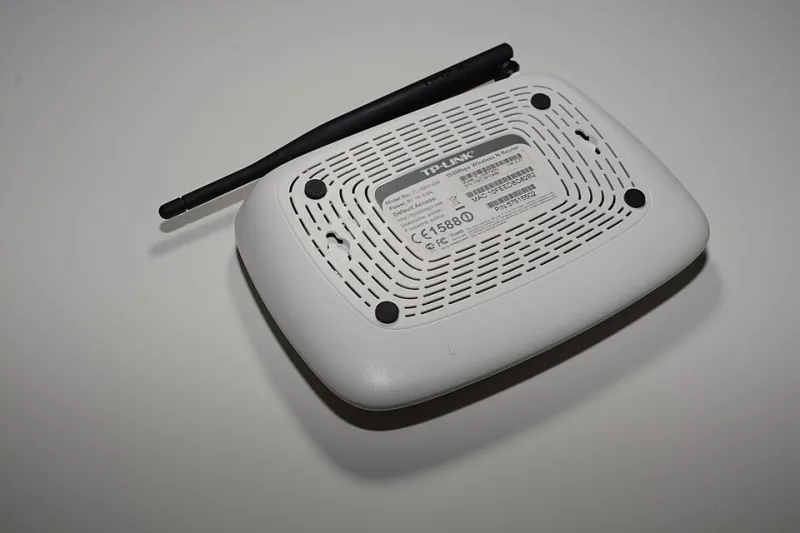
Photo: Hayden Schiff, CC BY 4.0, via Wikimedia Commons
Think about how many devices in your home beg for attention. Your iPhone badges you until you update. Windows reboots itself at the worst possible moment. Even your TV wants to install the latest firmware. But there's one device that never asks, never nags, and never complains: your router. It hums away in a closet or on a shelf, running whatever software it shipped with — sometimes for years.
That's a problem, because your router is the front door to everything else in your house. Every laptop, phone, security camera, smart speaker, and gaming console passes through it. If the router's software — called firmware — has a known flaw, attackers don't need to touch your devices at all. They just walk through the door.
Why Outdated Firmware Is Such a Big Deal
Router manufacturers regularly discover and patch serious vulnerabilities: bugs that let outsiders take control of the device, redirect your traffic, or peek at unencrypted data. Security researchers find these flaws constantly, and when they do, the manufacturers release firmware updates to fix them.
The catch? Unlike your phone, most routers won't install those fixes on their own — unless you tell them to. Surveys have repeatedly found that a huge chunk of home routers run outdated firmware, and many are running versions with flaws that were publicly known for years. In other words, the fix exists. It's just sitting there, uninstalled, while your router guards your entire network with a lock that's already been picked on YouTube.
The 10-Minute Firmware Check
Here's the good news: this is one of the easiest maintenance tasks in tech. Grab your phone or laptop, and let's go.
Step 1: Find your router's address. Open a browser and type in one of the common router addresses: 192.168.0.1, 192.168.1.1, or 10.0.0.1. Not sure which one? On Windows, open Command Prompt and type ipconfig — the "Default Gateway" is your answer. On a Mac, check System Settings > Wi-Fi > Details > TCP/IP.
Step 2: Log in. You'll need the admin username and password. If you never changed it, it might still be the default printed on a sticker on the router itself — which is exactly why you should change it while you're in there.
Step 3: Look for the firmware section. Every brand hides it slightly differently. On Netgear, look under Advanced > Administration > Firmware Update. On TP-Link, check Advanced > System Tools > Firmware Upgrade. Linksys usually puts it under Connectivity. Asus owners have it easy: the admin page shows a firmware version right at the top with an update prompt.
Step 4: Check and update. Most modern routers can check for updates themselves. If one's available, let it install. Do not unplug the router mid-update — interrupting it can brick the device. Plan for ten minutes of no internet, so maybe don't start this during the Super Bowl.
Step 5: Turn on auto-updates. Many newer routers — especially mesh systems like Eero, Google Nest Wifi, and Orbi — offer automatic updates. Flip that on and you'll never have to think about this again.
What If Your Router Is Too Old to Update?
Sometimes you log in and discover the last firmware update was released in 2019 — and the manufacturer has since dropped support entirely. That's your router telling you something.
A router that no longer receives security patches is a device with an expiration date that's already passed. It doesn't matter how well it still works; the software behind it is going stale. If yours is more than five or six years old and hasn't seen an update in a while, start shopping. You don't need anything extravagant — a modern Wi-Fi 6 router or mesh system in the $80–$150 range will outperform your old gear and actually get patched. Renting equipment from your ISP? Ask them to update it, or better yet, buy your own modem and router combo and stop paying the monthly rental fee.
Signs It's Time for New Hardware
- The manufacturer's website lists your model as "end of life" or no support
- No firmware update has been released in two or more years
- The admin interface doesn't offer any update option at all
- Your Wi-Fi struggles in rooms it used to cover fine
- You're paying your ISP a monthly rental fee for a device you could replace
Make It a Habit
Here's a simple rule: whenever daylight saving time rolls around and you're already resetting your clocks, spend ten minutes checking your router's firmware. Two checks a year is all it takes to keep the most overlooked device in your home from becoming the least secure one.
Your phone updates itself. Your laptop updates itself. It's time your router caught up — it's just waiting for you to ask.