The Midnight Data Trail: What Your Internet Provider Actually Knows About You
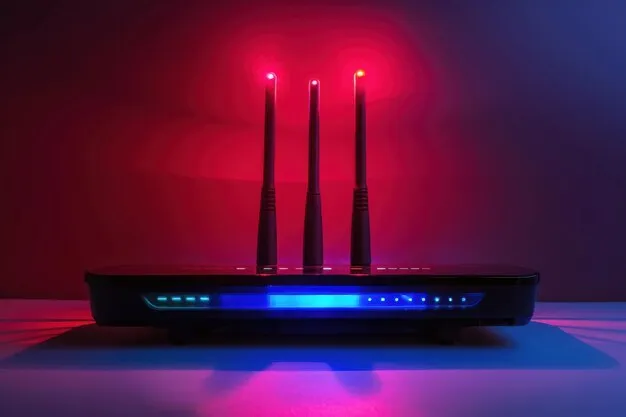
Photo: wifi router glowing lights dark room night, via img.freepik.com
Here's a fun thought experiment: your internet provider probably has a pretty good idea what time you fall asleep. Not because anyone's watching through your webcam, but because your router goes quiet around 12:40 a.m. and perks back up when your phone checks email at 6:55. That rhythm — plus every website name your devices look up — flows straight through equipment your ISP owns.
Most of us click "I agree" on the provider's privacy policy without a second thought. Fair enough. But it's worth knowing what's actually on the table, especially since a 2017 change in US law means broadband providers don't need your explicit opt-in before selling certain browsing insights to advertisers.
What They Can Actually See
Let's separate the scary-sounding from the genuinely collected.
The stuff that's basically unavoidable:
- DNS lookups. Every time your laptop visits nytimes.com, something has to translate that name into an IP address. By default, that question goes to servers your ISP controls. They may not see the specific article you read, but they see every domain you touch.
- Connection metadata. Timestamps, how long sessions lasted, how much data moved, and which IP addresses talked to which. This is how providers can tell you're streaming, gaming, or video calling — even if the content itself is scrambled.
- Device fingerprints. Your router announces every gadget on the network, and each one has a MAC address and its own traffic personality. Providers can often tell the smart TV apart from the gaming console without seeing a single pixel.
- Location-ish data. Your home address, obviously, plus general geography tied to your IP.
What they generally can't see: the actual content of encrypted traffic. When a site uses HTTPS — the padlock in your browser — the provider sees you connected to that site, not what you did there. That padlock is doing a lot of quiet work.
Where the Money Comes In
None of this gets collected out of pure curiosity. Aggregated and anonymized (sometimes), this data feeds advertising systems. A provider might know a household's traffic pattern suggests a new baby, a job hunt, or a cross-country move, and that signal is worth real money to advertisers. Some providers also sell "insights" about whole neighborhoods — think foot-traffic analytics marketed to retail chains.
The good news: you have more control than the average person realizes, and most of it takes under ten minutes.
Four Ways to Blur the Picture
1. Switch to encrypted DNS
Regular DNS is a postcard — anyone handling it can read the address. Encrypted DNS (called DNS-over-HTTPS or DNS-over-TLS) puts that address in a sealed envelope. Cloudflare's 1.1.1.1 and Google's 8.8.8.8 both support encryption, and setting it up is painless:
- On Windows 11: Settings → Network & Internet → Wi-Fi → your network → DNS server assignment → Edit → choose "Encrypted."
- On iPhone/iPad: you can add a DNS profile via a free app like the one Cloudflare offers, or set it per-network.
- On Android: Settings → Network & Internet → Private DNS — just type in the provider's hostname.
One honest caveat: your ISP will still see that your device is talking to a DNS service, and the encrypted DNS provider itself now knows your lookups. You're shifting trust, not erasing it — but shifting it away from your ISP, which knows your home address and payment info, is usually a good trade.
2. Dig into your ISP account settings
The big providers — Comcast, AT&T, Verizon, Spectrum and the rest — all have privacy dashboards buried in their account portals. Look for phrases like "ad preferences," "relevant advertising," or "enhanced" experiences. These toggles often control whether your data feeds the ad-targeting machine. They're usually opt-out rather than opt-in, which tells you something. Set aside ten minutes, search your provider's name plus "privacy settings," and flip everything that sounds like it involves sharing or personalization.
3. Understand what a VPN actually does
A VPN routes all your traffic through a tunnel to a server somewhere else. From your ISP's vantage point, you're just sending an unreadable stream to one destination. They can see that you're using a VPN and roughly how much data you're moving — but not which sites you visit.
What a VPN doesn't do matters just as much:
- It doesn't make you anonymous. The VPN company can see what your ISP used to see. You're switching who holds the ledger.
- It doesn't hide you from the websites themselves — cookies, logins, and browser fingerprinting still work exactly the same.
- A sketchy free VPN can be worse than no VPN at all, since some monetize the very data you're trying to protect.
If your main worry is ISP data collection, a reputable paid VPN (Mullvad, Proton, and similar get consistent recommendations from privacy folks) used consistently is genuinely effective. If you just want less ad targeting, the settings toggles and encrypted DNS may cover you without another subscription.
4. Quiet the network itself
A few small habits help too. Smart-home gadgets are chatty — anything that phones home constantly adds to your device fingerprint. Audit what's connected, and put the truly chatty stuff on a separate guest network so its traffic is at least compartmentalized. And if your router supports it, running your own encrypted DNS setting at the router level protects every device in the house at once, including the ones you can't easily configure, like that Wi-Fi camera.
The Realistic Takeaway
You can't go fully dark while using home internet — that's not the goal. The goal is shrinking the easy, automatic collection down to the unavoidable minimum. Encrypted DNS takes the postcards out of the mail. Privacy toggles pull you out of the ad pipeline. A VPN, if you want one, turns your browsing into undecipherable noise.
Your provider will still know when you're awake and when you're asleep. But it'll know a whole lot less about what you do in between.